
Honeywell Thermostat Not Working? Try These Tips: How to Reset Your Honeywell Thermostat

There’s nothing more frustrating than discovering your Honeywell thermostat isn’t working on a sweltering summer day or a freezing winter night. Whether the display has gone blank, the buttons aren’t responding, or your heating and cooling system simply won’t kick on, thermostat issues can disrupt your entire home comfort.
The good news? Most Honeywell thermostat problems have simple solutions that homeowners can tackle without calling an expensive technician. From battery issues to system resets, understanding why your thermostat stopped functioning can save you time, money, and stress.
This comprehensive guide walks through the most common reasons a Honeywell thermostat does not work and provides step-by-step solutions to get your climate control back on track.
What Would Cause a Honeywell Thermostat to Stop Working?
Several factors can cause your thermostat to malfunction. Understanding the root cause helps you apply the right fix quickly.
Power Supply Issues
Dead or weak batteries are the most common culprit. Many people experience their Honeywell thermostat not working after a battery change, which usually indicates improper installation or defective batteries. Always use fresh, high-quality batteries and ensure they’re inserted with the correct polarity.
If your thermostat uses hardwired power, a tripped circuit breaker or blown fuse could be the problem. Check your electrical panel and reset any tripped breakers connected to your HVAC system.
Display Problems
A Honeywell thermostat display not working often signals power issues or internal component failure. Sometimes the display dims or goes completely blank while the thermostat continues to function. Other times, the screen freezes or shows error codes.
The Honeywell thermostat touch screen not working can result from dirt buildup, screen damage, or calibration issues. Gently cleaning the screen with a soft, dry cloth sometimes resolves responsiveness problems.
Wiring and Connection Failures
Loose, corroded, or incorrectly connected wires frequently cause malfunctions. If you recently installed a new Honeywell thermostat not working properly, double-check that all wires match the labeled terminals on both the thermostat and HVAC system.
Old Honeywell thermostat not working issues often stem from deteriorated wire connections that need cleaning or replacement.
System Communication Errors
Modern smart thermostats require stable WiFi connections. If your Honeywell home thermostat is not working includes connectivity issues, restart your router and check for firmware updates through the Honeywell Home app.
The Honeywell pro series thermostat not working might indicate configuration problems specific to advanced professional models that require proper setup.
Common Scenarios and Quick Fixes
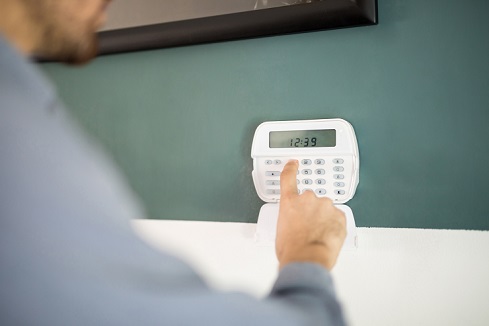
Honeywell Thermostat Not Working After Battery Change
This frustrating situation usually happens when:
- Batteries weren’t fully seated in the compartment
- Battery contacts are dirty or corroded
- The wrong battery type was used
- The thermostat needs a system reset after power restoration
Remove the batteries, clean the contacts with a cotton swab and rubbing alcohol, then reinstall fresh batteries firmly.
Honeywell AC Thermostat Not Working
When your air conditioning won’t respond, check these items:
- Ensure the mode is set to “Cool,” not “Heat” or “Off.”
- Verify that the set temperature is lower than the current room temperature
- Check that the AC breaker hasn’t tripped
- Listen for the compressor starting outside
Sometimes the Honeywell thermostat is cool on but not working, which means the thermostat is sending signals, but the AC unit itself has problems requiring professional service.
Honeywell Thermostat Heat Not Working
Winter heating issues require similar troubleshooting:
- Confirm the system is set to “Heat” mode
- Set the temperature higher than the current room temperature
- Check furnace power and gas supply (if applicable)
- Inspect furnace filters for clogs
The heat not working Honeywell thermostat scenario often relates to furnace issues rather than the thermostat itself, especially if the display functions normally.
Honeywell Thermostat Buttons Not Working
Physical button malfunctions can stem from:
- Stuck debris around button mechanisms
- Worn-out buttons from years of use
- Internal circuit board damage
Try cleaning around buttons carefully with compressed air. If buttons remain unresponsive on an old unit, replacement might be the most cost-effective solution.
How Do I Reset My Honeywell Thermostat?
Resetting your thermostat often resolves mysterious glitches and restores normal operation. The exact method varies by model, but these general approaches work for most units.
Soft Reset Method
- Locate the reset button (usually inside the battery compartment or on the face)
- Press and hold for 5-10 seconds
- Release when the screen goes blank
- Wait 30 seconds for the system to reboot
- Reconfigure your settings
Hard Reset (Factory Reset)
For more stubborn problems:
- Turn off the power to your HVAC system at the breaker
- Remove the thermostat from its wall plate
- Remove batteries (if applicable)
- Wait 2-3 minutes
- Reinstall batteries and remount the thermostat
- Restore power at the breaker
- Reprogram all settings from scratch
Model-Specific Reset Instructions
Different Honeywell models have unique reset procedures:
Round dial models: Remove the unit from the wall plate, look for a small reset switch, and press it before remounting.
Digital programmable models: Access the settings menu, navigate to “Reset” or “Restore Defaults,” and confirm the action.
Smart WiFi models: Use the Honeywell Home app to perform remote resets under device settings.
How Do I Fix an Unresponsive Thermostat?
When your thermostat becomes completely unresponsive, follow this systematic troubleshooting approach.
Step 1: Check Power Sources
- Replace batteries with fresh ones
- Verify circuit breakers are on
- Test for voltage at the R-wire (requires a multimeter)
Step 2: Inspect Physical Condition
- Look for visible damage or burn marks
- Check for loose mounting on the wall
- Ensure nothing is blocking vents or sensors
Step 3: Verify HVAC System Operation
- Test if your furnace or AC runs when manually activated
- Listen for clicking sounds when changing thermostat settings
- Check if the fan operates independently
Step 4: Clean and Reconnect
- Remove dust from internal components
- Tighten all wire connections
- Ensure the wall plate is securely fastened
Step 5: Perform System Reset
If previous steps fail, execute a complete reset following the instructions in the previous section.
Why Is My Thermostat Not Kicking On at Set Temperature?
Temperature differential issues frustrate many homeowners. Several factors explain why your system won’t activate when it should.
Thermostat Location Problems
Improper placement causes inaccurate temperature readings:
- Direct sunlight hitting the thermostat
- Proximity to heat sources like lamps or appliances
- Location in dead air zones without circulation
- Installation on exterior walls that affect sensing
Calibration Drift
Over time, temperature sensors can drift out of calibration. Most digital thermostats allow manual calibration adjustments in the settings menu. Consult your model’s manual for specific calibration procedures.
Anticipator Settings (Older Models)
Mechanical and some digital thermostats use anticipator settings that determine when systems cycle. If your old Honeywell thermostat is not working efficiently and shows frequent short-cycling or long delays, adjusting the anticipator may help.
Thermostat Age and Wear
Thermostats typically last 10-15 years. Components wear out, especially in:
- Manual Honeywell thermostat not working scenarios with mechanical parts
- Digital Honeywell thermostat not working cases where circuit boards degrade
- Wireless Honeywell thermostat not working situations where radio components fail
Advanced Troubleshooting for Specific Models
Honeywell Home Pro Series Thermostat Not Working
Professional-grade models offer advanced features but can be complex:
- Verify zoning system compatibility
- Check that contractor settings aren’t locked
- Ensure proper C-wire connection for continuous power
- Update firmware through the mobile app
Honeywell Wall Thermostat Not Working
Traditional wall-mounted units require special attention to:
- Proper leveling during installation
- Adequate wire length without tension
- Secure wall anchoring
- Avoiding damage during wall painting or repairs
Wireless Honeywell Thermostat Not Working
Battery-powered wireless models face unique challenges:
- Signal interference from other devices
- Distance limitations between the receiver and the thermostat
- Battery drain from frequent signal transmission
- Receiver placement affects signal strength
Preventive Maintenance Tips
Avoid future thermostat problems with these simple maintenance practices:
Regular Cleaning: Dust the thermostat exterior monthly and clean the interior annually.
Battery Replacement: Change batteries annually, even if they seem fine. Mark your calendar every spring or fall.
Wiring Inspection: Check visible wires yearly for fraying, corrosion, or looseness.
Software Updates: Keep smart thermostats updated with the latest firmware for optimal performance and security.
Professional Checkups: Include thermostat inspection during annual HVAC maintenance visits.
When to Call a Professional
While many issues have DIY solutions, some situations require expert help:
- Exposed or damaged electrical wiring
- Persistent problems after multiple reset attempts
- Suspected HVAC system failure beyond the thermostat
- Complex zoning or multi-stage systems
- Warranty concerns requiring authorized service
Never attempt repairs involving high-voltage wiring without proper training and tools.
FAQs About the Honeywell Thermostat Not Working
Why is my Honeywell thermostat not working after a power outage?
Power outages can cause settings to reset or temporary glitches. Remove and reinstall batteries, then restore power to your HVAC system. Reprogram your schedule and settings. If problems persist, the power surge may have damaged internal components.
What should I do if my Honeywell thermostat is not working with new batteries?
First, ensure batteries are correctly installed with proper polarity. Try different brand-name batteries, as some cheap batteries are defective. Clean battery contacts with rubbing alcohol. If the issue continues, the battery compartment contacts may be damaged, or the unit may require replacement.
Can I fix a Honeywell thermostat not working blank screen myself?
Yes, in most cases. Start by replacing batteries and checking circuit breakers. Remove the thermostat from its base, wait 30 seconds, then reconnect. If the screen remains blank and you’ve confirmed power is reaching the unit, internal component failure likely requires professional replacement.
How do I troubleshoot a Honeywell thermostat air conditioning not working issue?
Verify the thermostat is set to “Cool” mode with the temperature below room temperature. Check that your AC breaker is on and the outdoor unit has power. Ensure your thermostat display shows “Cool On” when calling for cooling. If the display works but the AC doesn’t run, the problem likely lies with the air conditioning system itself.
Why is my thermostat not working? Honeywell mode,l only for heat mode?
This suggests either a wiring issue with the heating circuit or a furnace problem. Check the W-wire connection at the thermostat. Verify your furnace has power and no error lights are flashing. Test if the fan works independently—if yes, but the heat doesn’t, the issue is likely with your furnace rather than the thermostat.
What causes a Honeywell thermostat not working on auto mode?
Auto mode requires the thermostat to switch between heating and cooling automatically. Issues often arise from incorrect wiring, programming errors, or system incompatibility. Ensure your HVAC system supports auto changeover. Check that both heating and cooling work in their dedicated modes before attempting auto.
How long do Honeywell thermostats typically last before not working?
Quality Honeywell thermostats generally last 10-15 years with proper maintenance. However, smart WiFi models may have shorter functional lifespans (7-10 years) due to rapidly evolving technology. Battery-powered units may need replacement sooner if battery corrosion damages contacts.
Is a Honeywell thermostat not working for heat always a thermostat problem?
No. Often, the furnace itself has issues. If your Honeywell home thermostatist not working but the display functions normally and shows it’s calling for heat, check your furnace filters, pilot light (gas furnaces), and furnace power. The thermostat may be working perfectly while the heating system has failed.
Can extreme temperatures cause my Honeywell thermostat not work properly?
Yes. LCDs may malfunction in extreme cold (below 40°F) or heat (above 95°F). Most thermostats have operating temperature ranges. If your thermostat is in an unheated garage, attic, or direct sunlight, temperature extremes can affect performance. Relocate the unit to a climate-controlled area.
Conclusion
Dealing with a Honeywell thermostat not working doesn’t have to mean an expensive service call or uncomfortable living conditions. Most common issues—from battery problems to simple reset needs—have straightforward solutions homeowners can implement themselves.
Start with the basics: check batteries, verify power sources, and examine visible wiring. Progress through systematic troubleshooting steps, and don’t hesitate to perform a reset when needed. Understanding your specific model’s quirks, whether it’s a round dial unit, digital programmable, or smart WiFi thermostat, helps you apply the right solutions.
As home automation continues evolving, newer Honeywell models offer enhanced diagnostics and remote troubleshooting through mobile apps. Regular maintenance and timely battery replacement prevent most problems before they start.
However, recognize when professional help is necessary. Electrical safety should always be your top priority, and complex HVAC system issues often require trained technicians with specialized tools and knowledge.
By following this guide, you’ll be equipped to diagnose and resolve the majority of thermostat issues, keeping your home comfortable year-round while saving money on unnecessary repairs.